Creative diversity for Meta catalog ads: ten distinct looks from one catalog, no design team
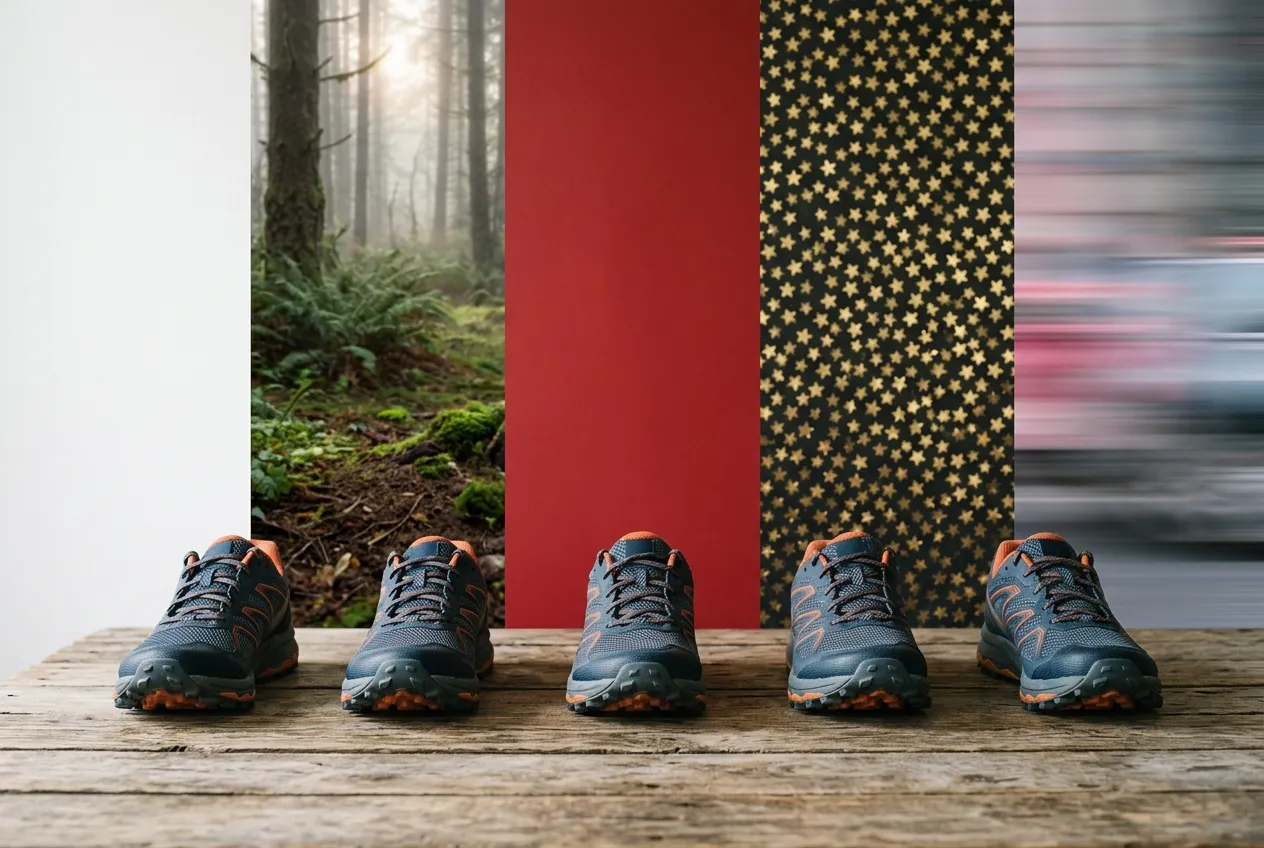
Meta now scores how alike your ads look. Ads Manager gives an ad set a creative diversity label, high, medium or low, worked out by comparing the images and videos in the ad set with each other. Meta says the metric is still under development. For a catalog ad, those images are your product feed.
If every product is a pack shot on white with a price, the whole ad set looks like one ad. Here is what Meta is asking for, why catalog ads have a harder time giving it, and how to get ten genuinely different looks out of one catalog without a design team.
What Meta means by diversification
Meta’s ad system runs on a retrieval engine it calls Andromeda. It scans tens of millions of ads for each person and shortlists a few thousand. In Meta’s own words, only “the most relevant and distinct creatives move forward.”
Then comes the part that matters for you. Meta says its system “analyzes creatives and groups together ads that share key visual and thematic attributes.” Ads that look alike are treated as variations of one creative. Five near-identical ads give the system one thing to work with, not five.
So Meta draws a line between iteration and diversification. Iteration is the same visual with a different call to action. Diversification is ads that are truly different in look, message and format, made for different people and different reasons to buy. Meta recommends the second, and it names agencies as the ones to make it happen.
Why catalog ads look alike by default
A catalog ad is assembled from the feed. Meta takes the product’s image, title and price and builds the ad. Every product gets the same treatment, so an ad set of two hundred products can be two hundred variations of one look. Advantage+ creative can touch up the photo, but a pack shot with a generated background is still a pack shot.
The way out is to change what is in the feed. Give the catalog several finished looks, each one a different concept, and let Meta choose between them.
Five looks that are actually different
A design is one look for every product in every shape, square, portrait and story, image and video. Renable renders it from a template and sends it in the feed. Five that are worth having:
- The brand look. Product cut out from its white background, on your colors, with your logo and the price. The everyday design.
- The lifestyle look. The product in a real setting. When the feed only has studio shots, a prompt generates a lifestyle image per product: worn on a trail at dawn, on a kitchen counter, in a living room. Preview it on one product before running it across the range.
- The social-proof look. The product’s star rating, its review count, or a line from a real review on the image. Hidden where the score is low.
- The offer look. Was-price, percentage off and a promo banner that shows only between two dates and only on products that are actually discounted.
- The video look. Any template can be a video of up to 30 seconds. Every product gets its own, with its own price and copy. Meta chooses image or video per impression.
Add a different headline to each and you have changed the message as well as the picture. A published prompt writes one per product, in the voice you give it, and keeps writing as products arrive. Five looks with two headlines each is ten.
Let the AI agent do the designing
You don’t need a designer for any of this. Describe a look to Aimée, the AI agent inside Renable, and she builds it in Studio, Renable’s template editor: the layout, the connection of each part to product data, a sale badge that shows only on discounted products, and a generated backdrop when you want one. She shows you the design as she works. Nothing reaches an ad until you publish.
Aimée
Give the Trail Runner range three more looks: a lifestyle shot outdoors, a bold sale look, and a review-led one.
Drafted: 3 templates
Lifestyle prompt: the shoe on a forest trail at dawn, in focus, filling the frame
Preview: Trail Runner 300, $89, 4.7 stars from 212 reviews
Each becomes one design in your Meta feed. Generated images cost credits per product, so run the lifestyle prompt on the Trail Runner set first and widen it once you like the result.
Put each look in its own ad set
Every design lives in the same feed, under its own name. An ad pinned to a design by name keeps that look while Meta still picks the right shape for each placement.
- Duplicate the ad set once per look. Same catalog, same audience. Name each after its design.
- Pin each ad to its design. Open the ad in Meta Ads Manager. The Renable Options panel lists the designs the feed offers. Click Use on the one this ad set should run. Do it while the ad set is paused, then start them together.
- Read the label. The ad sets now differ in look, message and format. That is what the creative diversity label is comparing.
Two ad sets pinned to two designs, split with Meta’s A/B test, is also the cleanest way to find out which look sells. The full walkthrough is in How to customize Meta Advantage+ catalog ad creative with templates.
Refresh without rebuilding
Meta separates creative fatigue, the same ad seen too often, from creative similarity, ads that look too alike. Both are answered the same way here. Build the next look while the current ones run. Adding a design changes no running ad. When the label drops or the numbers go flat, pin the tired ad set to the new look. Pinning it back later is the same two clicks.
The panel also tells you what would undo your work: whether Meta has fetched the feed that carries the new design, how many products it covers, and whether an Advantage+ setting on the ad can swap your design for one of Meta’s own.
What it takes
A product feed that Renable imports and sends on to your Meta catalog. Generated images and rendered videos use credits, so check the estimate before running a prompt across a large catalog. Aimée drafts templates and prompts, and you publish them. She can’t upload your logo, fonts or photos. Meta decides what shows where and how it scores it. Renable Options is a Chrome extension in early access.
Meta’s own words on all of this: Demystifying creative diversification
How the designs get built: Renable for Meta
One catalog. Ten looks. No design team
Connect your feed and ask Aimée for your first three designs, in every shape. Every account starts with a 30-day free trial.