GoogleOne feed, everywhere on Google. Approved, complete, and AI-ready
Renable catches invalid GTINs and promotional wording before Merchant Center sees them, and re-imports your data roughly every hour so prices never go stale. Then it writes the titles, cleans up the images, and fills the fields Google’s AI shopping reads.
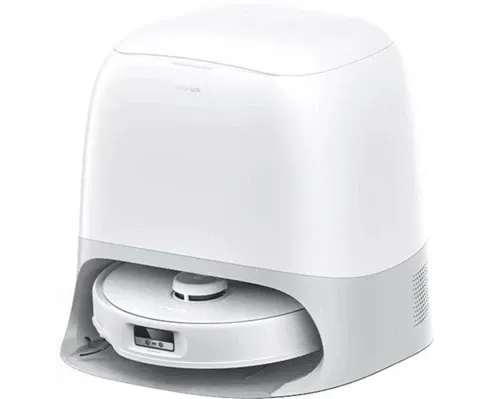 Passes Google’s spec
Roborock QRevo Curv Robot Vacuum and Mop, Self-Emptying, Black
$699
Copperleaf · Free delivery
One clean listing: a title Google reads first, a product shot it approves, and data that passes its spec.
Approval starts in the feedThe disapprovals Google won’t email you about
You usually find out a product was disapproved when the sales dip, days after it dropped out of Shopping. Renable finds out first. Every product is checked against Google’s required fields before the next Merchant Center fetch, and the classic causes are flagged where you can still fix them: invalid GTINs, promotional wording in titles, a missing brand or MPN, an infographic where the photo should be.
A missing GTIN is filled from a column you already have, a rule, or a supplier feed. And your data is re-imported roughly every hour, so the price Google reads is the price on your site.
Checked against Google’s spec · before the next fetch
Your images, sortedYour best product shot isn’t your only image
Image #1 is usually a clean product shot. Everything after it is a jumble of lifestyle scenes, size charts and badges, and the wrong one in the main slot is a classic disapproval. Process your images and Renable sorts them for the channel: the clean shot for the main image with the background removed, the lifestyle scene for Google’s lifestyle field, and infographics kept out. A product with only a pack shot gets staged shots for the additional images, on a model or a neutral studio backdrop, in focus and filling the frame.
Trail Runner 300 · 3 catalog images
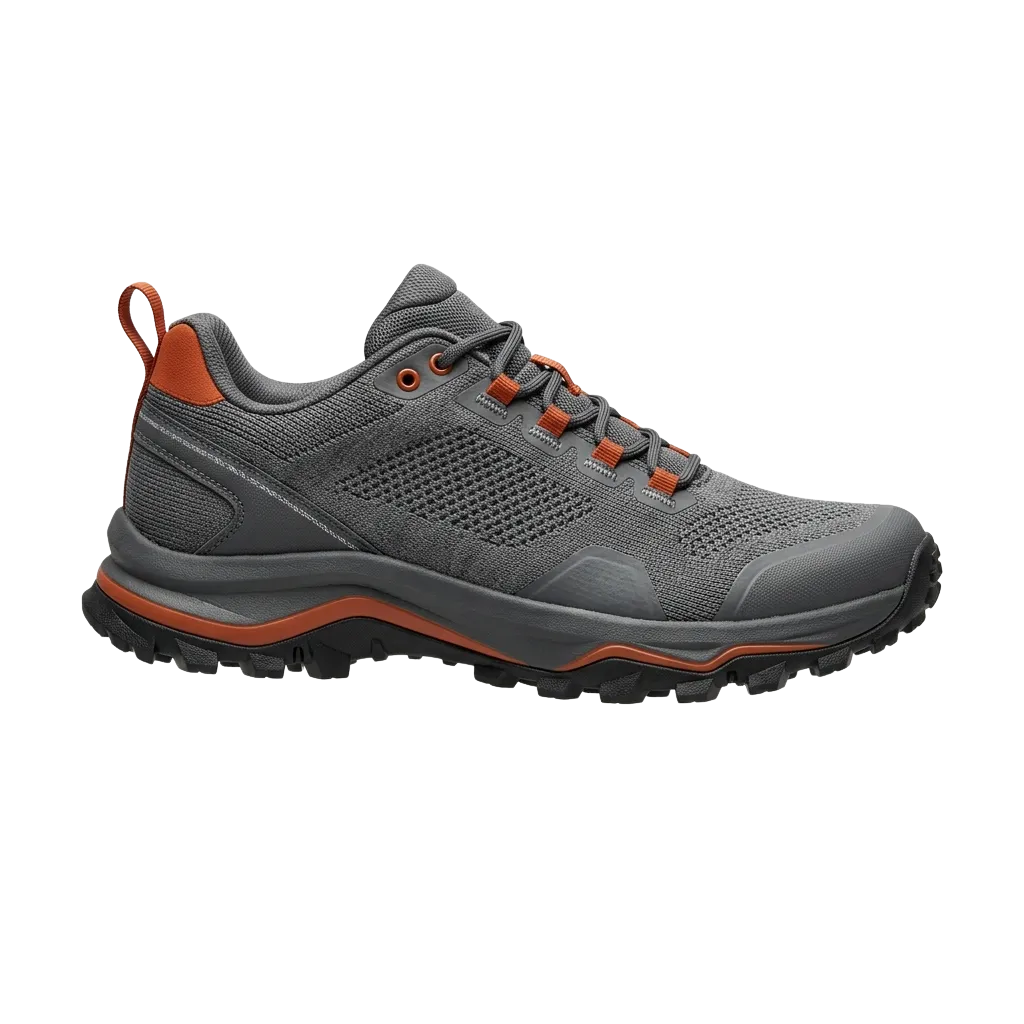 Product
 Lifestyle
An infographic sent as a product image is a classic disapproval. One rule keeps it out.
One feed, better listings
Stop shipping the same listing as everyone else
Almost every retailer sends Google the same thing: a pack shot, a keyword-stuffed title, a supplier’s description. Renable ships a listing built the way Google reads it: a title that leads with what people search for, a clean product shot, a sale price that shows, and the fields Google’s AI shopping quotes. Shopping ads, free listings and Performance Max read the same feed.
What the feed carries today
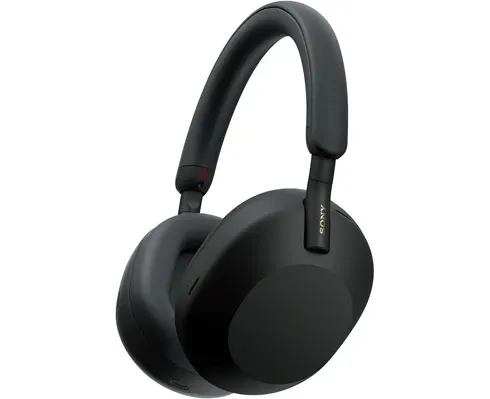
SONY WH1000XM5 BLK OVER-EAR BT NC HEADPHONES BEST PRICE FREE SHIPPING
Driver 30mm. BT 5.2, LDAC, multipoint. ANC Auto NC Optimizer. Batt 30h NC on, 3h charge, 3min quick 3h. 250g. Colour BLK. Origin MY. HS 8518.30…
$299
The same product, as a Shopping ad
Passes specSony WH-1000XM5 Noise Cancelling Wireless Headphones, Black
$299$349Price drop
Copperleaf · Free delivery
One Merchant feed
built once, in Renable
Shopping + Performance Max
Search · Display · YouTube
Your Google feed is already an AI feed
Google’s Shopping Graph, the product data behind AI Overviews, AI Mode and Gemini’s shopping answers, reads the same Merchant Center feed Renable already builds for you. On Google, AI-readiness isn’t a project. It’s a switch.
The catch is that most feeds have never carried these fields at all, a short title, product highlights, structured product details, so there is nothing for Google’s AI shopping to read. Renable writes them from each product’s own data. Google decides what it shows.
Enterprise feed suites sell this as a managed service. On Renable it ships in the Google feed, and you can start free this afternoon.
Fields Google’s AI shopping reads
- g:short_title Written from your data
- Trail Runner 300 GTX M’s 42–47 blk/gryTrail Runner 300 waterproof trail shoe
- g:product_highlight Written from your data
- Waterproof membrane keeps feet dry down to freezing
- g:product_detail
- Terrain: wet rock, mud, hard-packed trail
- g:description
- Built for long runs in bad weather, with a membrane that keeps feet dry down to freezing…
Real Merchant Center fields, already in the feed Renable builds for you.
Your Google Merchant feed
highlights, details, description
Google’s Shopping Graph
Shopping & AI answers
Shopping · AI Overviews · AI Mode · Gemini
Readiness audit
Ask Aimée how AI-ready your catalog is
She checks your real products against the fields Google’s AI shopping reads and comes back with the gaps and the counts. Then she writes them from each product’s own data and drafts them for your approval.
Aimée
How AI-ready is our catalog?
I checked your 50 best sellers against the fields Google’s AI shopping reads. Here’s where the gaps are.
Readiness audit · top 50 products
14 have no product highlights
31 have no answers to common buyer questions
22 have no structured product details
50 have a short title
I can write all of it from each product’s own data and fact-check it against the product. It lands as a draft. Nothing publishes until you approve it.
Why does Google keep disapproving my products?
Usually the answer is buried in the feed: a missing identifier, a word Google reads as promotional, a price that no longer matches. Renable names the exact products before the next fetch, and Aimée drafts the fix. You review it and publish.
The usual disapproval causes, caught in the feed
Fixed from a mapped column, a rule, or a supplier-feed lookup before the next fetch. GTIN, MPN and brand: the product identifiers your feed needs, and what to send when a product has none
“Sale”, “free shipping”, all-caps, stripped by the same rules engine that builds the title.
A promo engine changes prices faster than the feed, and Google’s crawler notices. Renable re-imports roughly every hour and the sale price follows on its own.
Filled from your data or a lookup, so the product stays eligible.
Processed images are classified, so infographics and badge-covered shots are held out and a clean product shot goes as the main image.
The warning as it appears on the channel, for illustration.
Aimée
Why did Google disapprove the Trail Runner 300?
It was rejected as “Incorrect product identifier”. The GTIN in your feed fails its check digit, and 213 more do the same. Your supplier feed has the right one for every product.
Checked · gtin
Feed value 0730918… fails checksum
feed.ean 7318690079538 · valid
I’ve drafted the mapping: gtin from the supplier feed where the feed value fails. All 214 fixed in preview. Nothing publishes until you say so.
SetupApproved on Google Shopping, from the feed you already have
Paste your feed URL and Aimée sets up the catalog, fills the GTINs from your supplier file, takes the promo words out of the titles, holds the infographics out of the images, and drafts a Merchant Center channel that passes the checks. You look it over and publish. No ticket to IT, no afternoon in a spreadsheet.
Once published, the feed lives at one fixed address. Paste it into Merchant Center and every hourly change reaches Google without you.
Aimée
Get us approved on Google Shopping. Half the catalog is disapproved right now. Feed: sportgear.com/feeds/products.xml
Connected the feed
Drafted a Google Merchant channel
Renable builds the feed and the creative. Google runs the campaigns
Budgets, bidding and targeting stay in Google Ads, where they belong. What Renable controls is that Google gets the best version of every product: clean, complete and approved.
The Google channel, the AI fields and the image cleanup are on every plan, priced per feed item your rules keep. See pricing
“Renable’s campaign performance have been above expectations with easy setup, actionable and insightful data, and a tremendous bang for our marketing driven data buck.”
Frequently asked questions
Can Renable put my reviews in Shopping ads?
Can I structure Performance Max with custom labels?
Can I keep my existing Merchant Center feed?
Does Renable manage my Google Ads budget or bids?
Can I send product video to Google?
What does it cost?
Get every product approved, and ready everywhere on Google
Connect your feed and watch the disapprovals get caught before Google sees them. Free for 30 days, on the 500-feed-item plan.