Microsoft AdvertisingGet your whole catalog onto Microsoft Shopping
Bing, Edge, Microsoft Start and Copilot reach the desktop shopper your Google campaigns do not. Renable builds the Microsoft feed from your catalog, checks Microsoft’s own rules on every product before you publish, and keeps it fresh so nothing quietly expires.
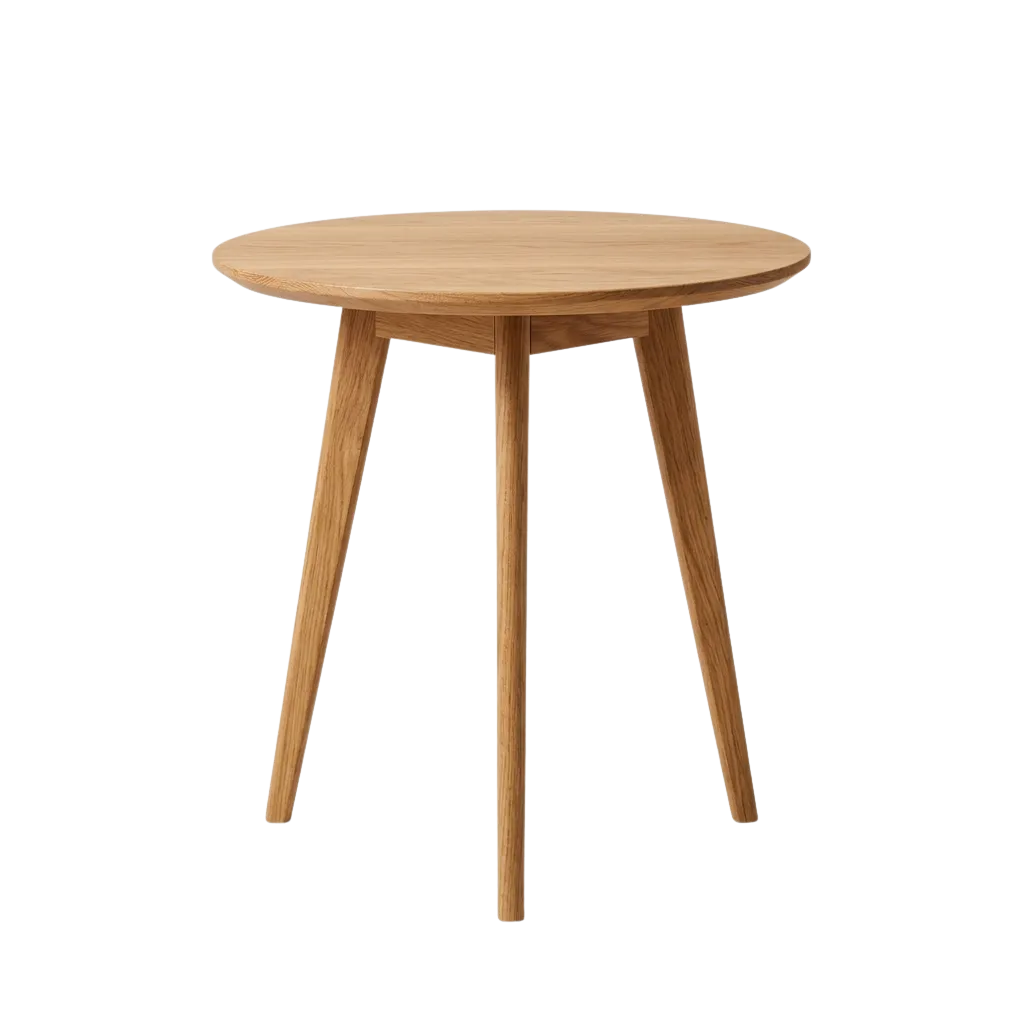 Passes Microsoft’s checks
Aspen Solid Oak Side Table, 45 cm, Natural
$249
Pinecraft · Free delivery
A Shopping ad on Bing: the product, a title people search for, the price, the store.
The shopper your Google campaigns don’t reach
Desktop, at work, with Edge and Bing as the default. Older and with more to spend, as of mid-2026. One Microsoft catalog puts your products in front of them on four surfaces.
Bing search
Shopping ads beside the results, from a Performance Max campaign.
The Shopping tab
Your products compared on price and delivery, straight from the feed.
Edge and Microsoft Start
The new-tab page and the news feed, Edge’s defaults on Windows.
Copilot shopping
Copilot reads the same catalog when it recommends products. Buying inside Copilot is a separate Microsoft program with its own gate.
Two ways onto Microsoft. One of them checks the feed
Microsoft can import your Google Merchant store by itself. One store, matching domains, and the imported offers expire after 30 days. Good for a first look. A Renable Microsoft channel is built for Microsoft: its rules checked on every product, and a hosted feed that is always there to fetch.
| Where Microsoft differs from Google | What a Google passthrough does | What the Microsoft channel does |
|---|---|---|
| Availability | Sends “backorder”, which Microsoft has no value for | Writes in stock, out of stock or preorder, the three Microsoft reads |
| Images | Passes your store’s WebP links, which Microsoft rejects | Serves every image as JPG or PNG from Renable’s own hosting |
| File shape | A CSV, which Microsoft does not accept | Google-formatted XML or tab-delimited text, the two shapes Microsoft takes |
| Expiry | A feed not fetched for 30 days goes dark | A stable URL Microsoft fetches daily, refreshed every hour on our side |
None of these throw an error you would notice. They shrink the catalog by a few percent and leave you wondering where the products went.
What Microsoft reads from every product
A title that leads with what people type into Bing, a description written from the product’s own facts, a brand on every product, and up to ten extra images.
Simplified view of the Microsoft channel, for illustration. Microsoft shows the extra images when it chooses to.
Microsoft reviews every change. Get it right the first time
A new title, price, image or link goes back through Microsoft’s review. Usually a day, up to three business days on a second pass. So the pre-publish checks are not a nicety. They are the difference between a catalog that is live tomorrow and one that spends the week in review.
Checked in Renable
before publish
Microsoft review
about a day
Live on Bing
fetched daily
“Why did my products expire on Microsoft?”
Products go dark on Microsoft without an error you would notice. Four causes cover almost all of it. Renable catches three of them before Microsoft sees the feed, names the products, and Aimée drafts the fix. You review it and publish.
The warning as it appears on the channel, for illustration.
Aimée
Why do 31 products fail the availability check on Microsoft?
They are on backorder. Google accepts that value, Microsoft has no such value and drops the product. I’ve drafted a rule on the Microsoft channel only: backorder becomes preorder there. Your Google feed keeps backorder.
New rule · Availability for Microsoft
Maps a value Microsoft does not read
When
Then
SetupAdd Microsoft to a client in one conversation
Ask Aimée for a Microsoft channel and she starts from the Google mapping the client already has, applies Microsoft’s own rules on top, and tells you which products needed changing. A draft, published only when you say so.
Publish and Renable hosts the feed at a stable URL. Paste it into Microsoft Merchant Center once, set the daily fetch, and every hourly update flows through on its own.
Aimée
Add Microsoft for Pinecraft. They’re on Google Shopping already.
Two ways. Microsoft can import the Google Merchant store directly, one store with matching domains, and those offers expire after 30 days. If you want Microsoft’s own checks and a feed that never expires, I’ll build a Microsoft channel from the Google mapping.
Build the channel.
Drafted a Microsoft Shopping channel
Renable builds the feed. Performance Max in Microsoft Advertising runs the campaigns, and Merchant Center decides what is approved.
Microsoft is not an add-on. Every channel is included in a price per feed item. See pricing
Microsoft Shopping, answered
Why did my Microsoft products expire?
I’m on Google Shopping. Do I need a Renable channel for Microsoft?
Can I keep my Microsoft feed and add to it?
Will my products show in Copilot?
Does Microsoft Shopping run product videos?
What does it cost?
Put your catalog in front of the Bing shopper
Connect your feed and see what Microsoft would have dropped before you publish. Free for 30 days, on the 500-feed-item plan.